How to Track Free Trial Signups and Paid Conversions
Learn how to track trial signups and paid conversions, connect them to the same visitor, and see which source turns trials into revenue.

NoirTrack team·Follow

Track free trial signups as a goal, then send each paid sale or subscription event back to the same visitor so you can see which source converted. With NoirTrack, Goals, Funnels, and Revenue Attribution turn that into conversion rates, drop-off points, and revenue by channel. This only works cleanly when you identify users or pass source data consistently across signup and checkout.
Tracking free trial signups and paid conversions means linking the moment someone starts a trial with the moment they pay. Most trial dashboards stop at the signup, which hides the real question: who actually became a paying customer. The fix is to track the trial start and the paid conversion as two linked events, then read them by source, campaign, and revenue. If you want the number that matters, measure the path from first visit to activated trial to first payment. That gives you the view that matters for acquisition and pricing. After this post, you will know how to read that path and spot which channels bring paying customers.
What should count as a free trial signup?
A free trial signup should count at the moment the user can actually try the product, and that moment should stay the same everywhere you measure it. In NoirTrack, that usually means one named event, such as signup or trial_started, rather than a pageview of a pricing page or thank-you page. If your product has both self-serve and sales-led trials, track them as separate events so the numbers for one motion do not mix with the other. That keeps your conversion rate tied to a real action and gives you one place to watch it in Goals.
Pick the event that matches intent
Pick the event that matches the first clear sign of access, not the first sign of interest. A visitor who reads pricing has not started a trial. A user who submits the signup form, creates a workspace, or adds a payment method has crossed the line into the trial flow. If your app needs several steps before the product opens, choose the step where the user is enrolled and can begin using it.
Use one event name for that moment across every entry point. A landing page, a product tour, and a sales rep handoff should all send the same event if they all lead to the same trial. For example, if your app creates the workspace on submit, use a single event like this:
<button data-noir-goal="trial_started">Start free trial</button>
That event can fire from the button click or from your backend after the workspace is created. The label stays stable, so your reports roll up cleanly instead of splitting across signup, register, and create_account.
Avoid counting page views as signups
Do not use visits to a landing page as the trial metric, because a pageview measures curiosity, not activation. If 1,200 people visit /trial and 180 complete the form, the page says 1,200 and the signup event says 180. Those are different numbers and they answer different questions.
Keep the signup event separate from onboarding steps like email verification, profile setup, or first project created. Those are useful later in the funnel, but they do not mark the start of the trial. When you split them apart, you can see whether the problem is getting people to start or getting them to continue. If you need to measure the whole path, build it as a funnel with a page step and a signup step in Funnels.
How do you track trial signups in NoirTrack?
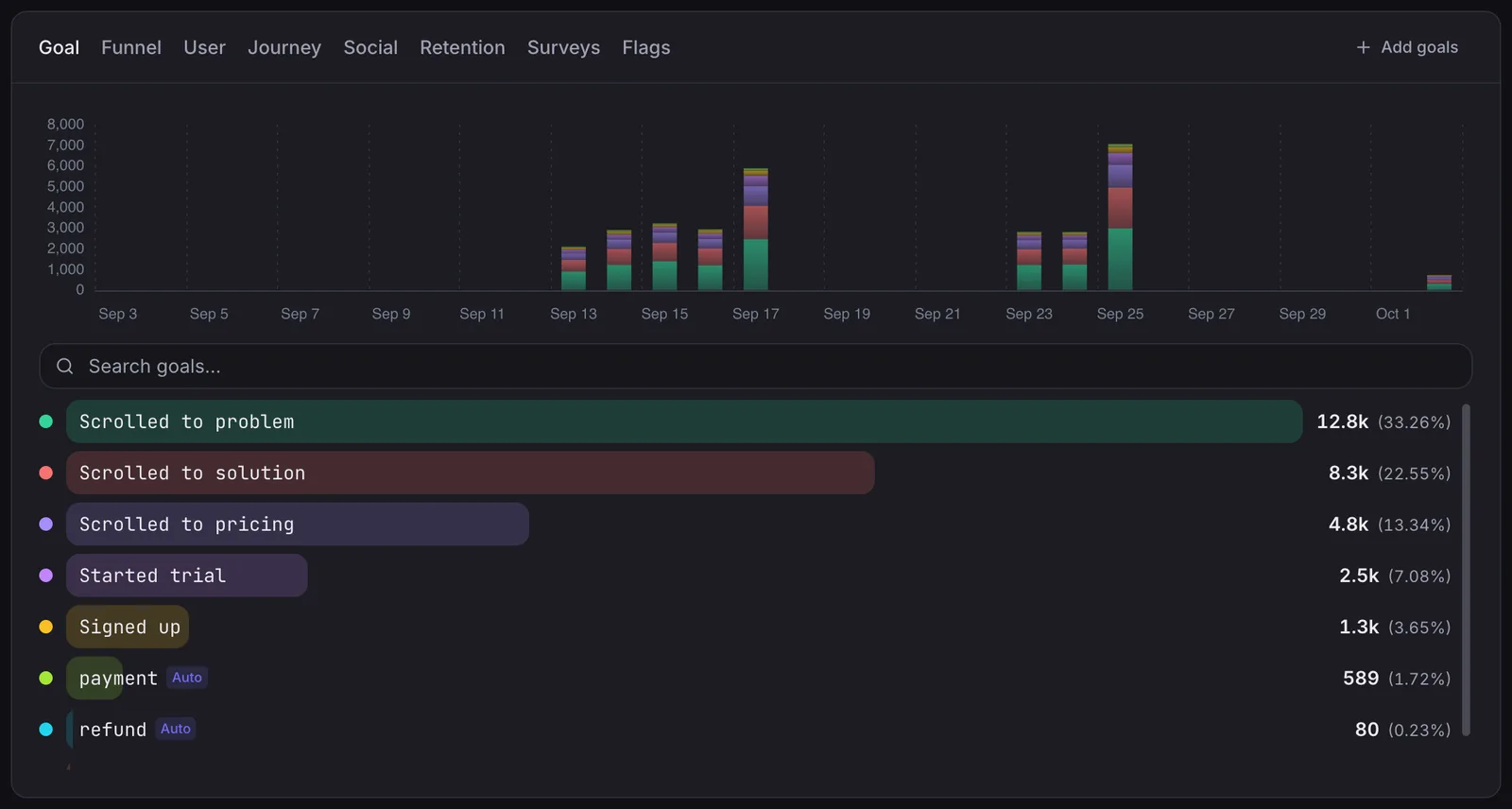
Track trial signups and paid conversions by sending the trial start as a goal, then read it in the Goals view as a conversion rate and completion count. That gives you one event to measure across every signup path, and it keeps the trial start separate from pageviews or other clicks. If the signup happens on a form, fire the event on submit at the exact moment the trial begins.
-
Set the signup as a goal Create a goal for the action that means the trial has started, then watch completions and conversion rate in the Goals panel. NoirTrack treats a goal as an outcome you care about, so a signup shows up beside other goals instead of hiding inside raw event logs. See /docs/goals for the goal types and naming rules.
A simple button can send the event without JavaScript:
<button data-noir-goal="signup">Start free trial</button>If your flow uses a form, place the event on the submit action, not on the page load. A loaded form page says someone arrived. A submitted form says the trial started.
-
Use one event across all entry points Send the same goal name from the pricing page, product tour, and popup. NoirTrack rolls those completions into one rate, so traffic from different campaigns or devices still lands in the same line.
That matters when the same visitor clicks an ad on mobile, returns later on desktop, and signs up from a newsletter link. If each path fires a different name, you split the count and make the rate harder to read. If each path fires
signup, the dashboard keeps the numbers together. -
Keep the event stable Use a short name that stays fixed over time, such as
signup. Put details like plan or referral source in properties, not in the event name. NoirTrack accepts properties with the event, and the first event seen appears in your dashboard under custom events.Example:
noir('signup', { plan: 'pro', referral: 'pricing_page' });That records one signup goal with two useful details, while the main count stays easy to compare week to week.
How do you connect paid conversions to the same trial?
Connect the paid event to the same visitor or user identity you used for the trial, then let NoirTrack match the sale back to the source that started the journey. For payments that only your backend can confirm, send the purchase, charge, or subscription event from the server after the charge clears. If the trial converts later, record the paid event when the payment happens, not when the signup happened.
A simple setup looks like this: your trial fires as signup, then your backend sends subscription_activated with the visitor ID from the noir_vid cookie. NoirTrack can then tie the paid event to the original visit, source, and campaign. If you already connect a payment provider, the revenue view gives you the same match without manual spreadsheet work. That is the cleanest way to track free trial signups and paid conversions when the sale happens days or weeks after the first visit.
Match the sale to the journey
Revenue Attribution shows the Sources panel ranked by revenue and the Transactions page with every sale and its source. Open the revenue view and compare the source that created the trial with the source that produced the payment. If one campaign drives a lot of signups but few paid conversions, the mismatch shows up in revenue, not just traffic.
Use the sale record, not the trial count, when you want to know which channel paid. A trial can look strong on volume and still bring little money if the buyers came from a different source. The revenue view answers that by tying each sale back to the visitor who made it. See how revenue tracking works for the matching order and provider setup.
Handle upgrades and recurring payments
For subscriptions, treat the first paid conversion as the conversion point and keep later renewal events separate. NoirTrack can record revenue from later charges, but those renewals should not count as new trial-to-paid conversions.
That matters when a free trial becomes a monthly plan. If the first invoice is $49 and the next three renewals are also $49, the conversion rate should count one paid conversion, not four. The later payments still matter for revenue, so send them as renewal events or subscription revenue and read them in the subscription reports, while the trial conversion stays tied to the first charge.
If your checkout page already has the NoirTrack snippet, a successful checkout can match automatically through the visitor cookie. If you can pass visitorId from your backend, use that for the most accurate match.
How do you build a trial-to-paid funnel?
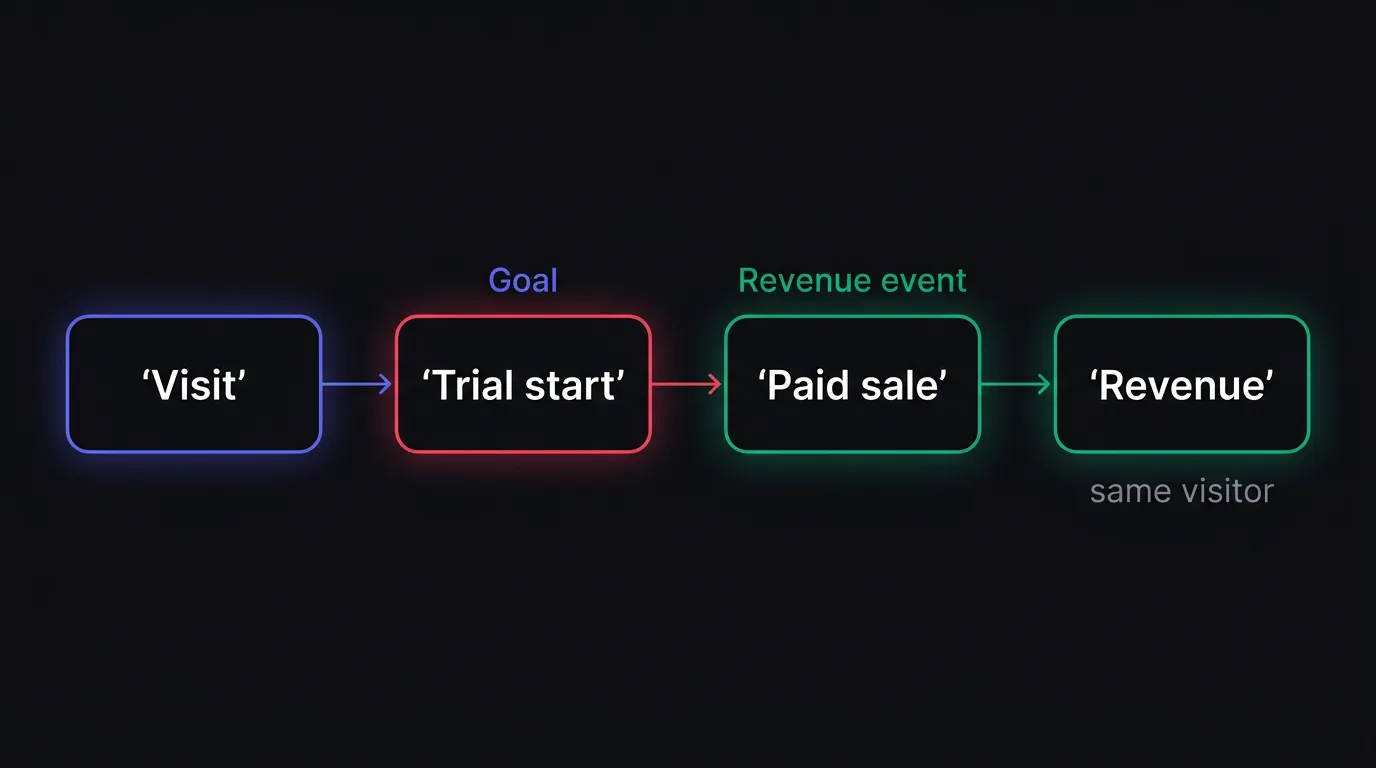
A trial-to-paid funnel starts with the first visit or trial start, then ends with the paid conversion, so you can see how many visitors move from interest to revenue. NoirTrack lets you put a goal or page step in order, then read drop-off, revenue, and the traffic sources or countries behind each step. That gives you one view of the path from signup to payment, and it shows which sources bring customers that pay, not just accounts that start a trial.
Show the path from visit to sale
Build the funnel as a sequence of the actions that matter: landing page, trial start, then paid conversion. NoirTrack supports 2 to 10 steps in order, and each step can be a page path or a goal, so you can track the exact move from first visit to sale in Funnels.
- Pick the first step. Use the first visit or the trial-start event, depending on where your acquisition data is strongest.
- Add the trial step. Use the same event name across every entry point so the funnel counts one trial path instead of several fragments.
- Add the paid step. Use the payment or revenue goal as the last step so the funnel shows both conversion count and money.
A simple path might look like /pricing → signup → trial_started → payment. If 200 visitors reach the funnel and 40 pay, the funnel shows a 20% conversion rate and the exact step where the rest drop out.
Revenue on the last step comes from revenue attribution, so the final step can show which path produced money, not just a completed event.
Compare channels by outcome
A channel can send fewer trials and still win if it brings more paid customers or higher revenue per visitor. Put the funnel next to revenue attribution so you can compare source quality by money, not by signup count alone.
| Channel | Trial starts | Paid conversions | Revenue | What it means |
|---|---|---|---|---|
| Organic search | 120 | 18 | $2,700 | Fewer trials, stronger buyers |
| Paid social | 180 | 9 | $900 | More volume, weaker payback |
That table is the kind of split you want to make before you scale spend. If paid social fills the top of the funnel but organic search brings the paying customers, you know where to invest next.
What should you do when the numbers do not match?
Check whether the signup event and the payment event point to the same visitor or user identity. Then verify that your UTM tags survive the full trial path, especially when signup happens on one subdomain and payment happens on another. If the counts still differ, inspect duplicate payment events or missing source data before you change spend.
Find the broken link first
The most common problem is that the trial is recorded, but the payment cannot connect back to the original visitor. The next most common problem is a double-fired payment event, which makes revenue look higher than it is.
Use the source and transaction views
Open the revenue attribution view and compare the sale source with the original journey. If you need a path view, use funnels to see where the handoff breaks. If the sale has the right source but the wrong amount, look for duplicate sending. If the sale is missing source data, fix the signup flow before you change the marketing budget.
Questions, answered.
Track the trial start as one goal and the paid sale as a separate revenue event, then link both to the same visitor or user. That setup lets you measure trial to paid conversion rate and see which source brought paying customers, not just signups. If the same identity follows both events, the funnel and revenue numbers line up.
Tracking trial conversions usually takes one signup event, one payment event, and a simple identity link between them. Once those events are in place, NoirTrack can read the goal, funnel, and revenue views without extra setup work. That gives you the main numbers you need without building a heavy tracking stack.
A funnel shows where visitors drop off between steps, while revenue attribution shows which source or campaign made money. A funnel answers where people stop, and attribution answers what paid. Using both together helps you avoid optimizing for trial starts that never turn into revenue.
The most common mistake is counting signup page views instead of real trial starts, or sending payment events without the same visitor identity attached. That breaks attribution and makes the numbers disagree. The fix is to fire the trial event only when the trial actually begins and carry the same identity into the payment event.
Cookies are not required to track trial signups and payments. Identity, server events, and revenue tracking can connect the full journey without relying only on cookie based analytics. That matters when users switch devices, block scripts, or clear browser storage before they pay.
Try NoirTrack
See which traffic actually pays.
Analytics with revenue attribution and a built-in bot firewall. One script tag, live in two minutes.
Free 14-day trial, no credit card
Written by NoirTrack team
The privacy-first Google Analytics alternative with a built-in bot firewall and revenue attribution. See which traffic makes you money, no cookie banner.


