How to Track Which Instagram Posts Bring Paying Customers
Learn how to tag Instagram links, attribute sales to each post, and see which content actually turns views into paying customers.

NoirTrack team·Follow

Use one tracked link per Instagram post or story, then connect your payments so each sale is credited back to the visit that started it. Tracking which Instagram posts bring paying customers means tagging each post link, then tying purchases back to that visit so you can compare posts by revenue, not just clicks. In practice, UTM tags plus revenue attribution give you post-level results you can compare by revenue, not just clicks. This does not work well if you never send people through a trackable link or if your checkout and analytics are not connected. Instagram likes and reach are easy to see, but they do not tell you which post produced a customer. The fix is to tag every shareable link, keep the naming consistent, and connect purchases back to the original visit. Once that is in place, you can compare posts by revenue instead of guessing from comments, saves, or click counts. After reading this, you will know how to set up post-level tracking and read the results by revenue.
Why Instagram Insights do not show paid customers
Instagram Insights stops at attention and profile actions, so it cannot connect an Instagram post to a later sale on your site. A post can get 500 taps and still produce zero customers, while another post with 80 taps can bring 4 buyers. The useful number is revenue per post, because that shows which post paid back the effort.
What you need to measure instead
Use one unique destination link for every post, story, bio swap, or campaign. NoirTrack reads UTM parameters from that link and groups visits by source and campaign, so you can separate one post from another instead of lumping all Instagram traffic together. The same setup also lets you see sales on the other side when you connect revenue tracking. See the campaign parameter format and how revenue attribution works.
- Tag the link. Add
utm_source=instagramand keep the other values stable enough to group traffic. - Use one campaign name per post. A launch post and a testimonial post need different
utm_campaignvalues. - Connect purchases. Once sales are linked, the dashboard can show which post led to revenue, not just visits.
A simple example looks like this:
https://yoursite.com/pricing?utm_source=instagram&utm_medium=social&utm_campaign=summer-drop&utm_content=carousel-1
If that link drives 12 visits and 2 sales, you already know more than reach or taps can tell you. You can compare the 2 sales against the rest of the month and keep the post that actually sold.
Native metrics versus revenue metrics
Native metrics stop at impressions, likes, replies, profile visits, and link taps. Revenue metrics keep going through the visit, the checkout, and the sale.
| Metric type | What it answers | What it misses |
|---|---|---|
| Native metrics | Did people notice and interact? | Whether they bought |
| Revenue metrics | Did this post make money? | Surface engagement details |
This matters most when several posts promote the same product or offer. Three Instagram posts can all point to one pricing page, but only revenue metrics can show which post brought buyers and which one only filled the top of the funnel.
How do you tag Instagram links so each post is trackable?
Tag each Instagram post with its own URL, using UTM parameters so NoirTrack can group visits by source and campaign and show which post led to revenue. If you want to track which Instagram posts bring paying customers, keep the naming stable: one value for utm_source, one for utm_medium, and one campaign name per post or angle. That gives you a clean row for each post in Campaigns & UTM, and it keeps the same link usable for revenue checks later.
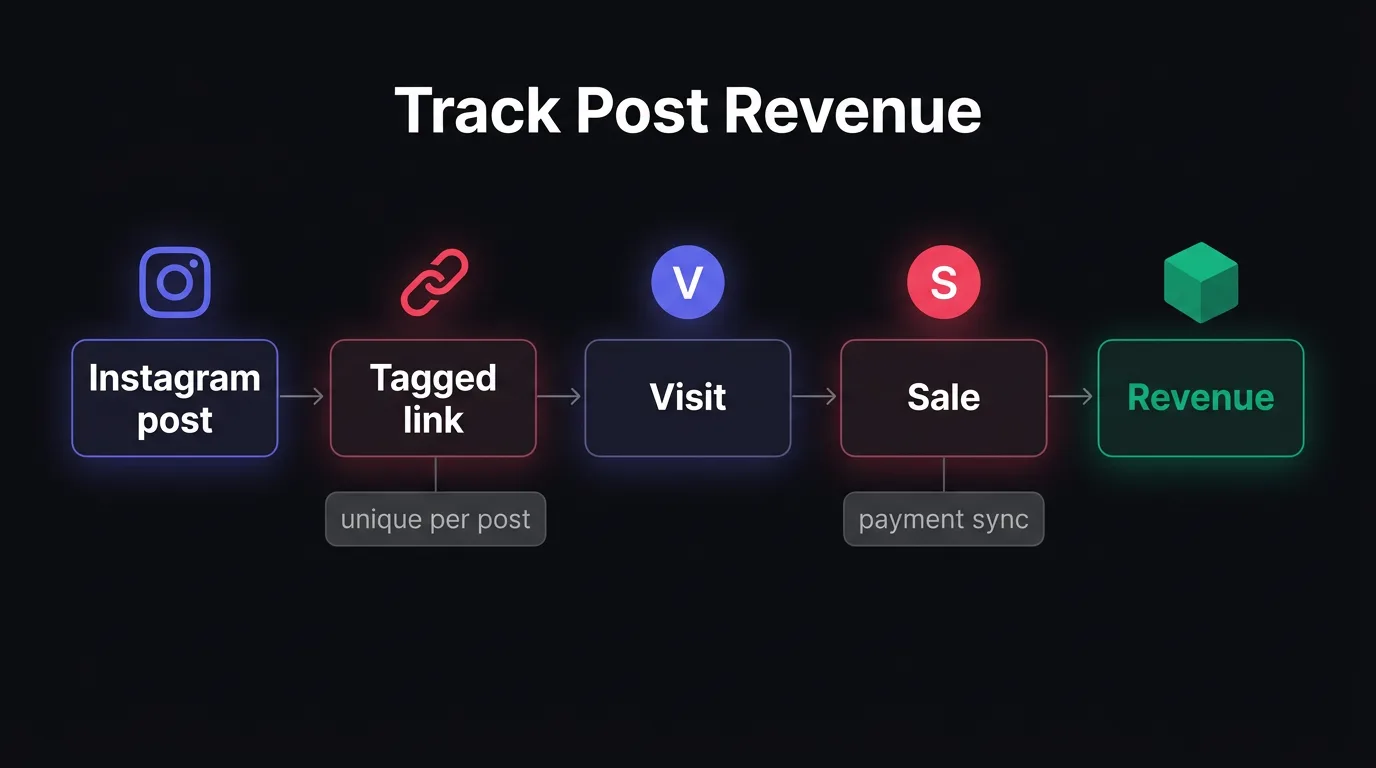
A simple naming pattern
Use a pattern that never changes for the channel, then vary only the post-specific part.
- Set the source once. Use
instagramforutm_sourceon every Instagram link. If one teammate writesInstagramand another writesinstagram, NoirTrack will treat them as two sources. - Set the medium once. Use
socialforutm_mediumwhen the link comes from an organic post. Keep that value the same across the team so the report stays grouped. - Use the campaign for the post. Put the post name, creative angle, or launch date in
utm_campaign, such asspring-launch,carousel-proof, or2026-02-14. That is the field that should change from post to post.
A concrete example looks like this:
https://yoursite.com/pricing?utm_source=instagram&utm_medium=social&utm_campaign=carousel-proof
That link tells you the traffic came from Instagram, from a social post, and from the carousel proof angle. If you reuse the same source and medium across every Instagram post, NoirTrack rolls them up cleanly and still separates each campaign.
What to put in each link
Use the same landing page when the offer stays the same, then change only the campaign tag when the post changes its angle. A pricing post and a testimonial post can both point to /pricing, but they should not share the same campaign name if you want to compare them later.
- Keep one landing page for one offer. If two posts push the same product page, use the same destination URL.
- Change the campaign when the message changes. A new hook, creative, or launch date deserves a new
utm_campaignvalue. - Use a fresh link for a clean comparison. New campaign value, new row, no ambiguity when you read How revenue tracking works.
Lowercase values with no spaces make reporting cleaner. black-friday and Black Friday count as two different campaigns.
If you also tag the bio link or a story swipe-up, give each placement its own campaign name. That keeps a feed post, story, and profile link from landing in the same bucket.
How does NoirTrack connect Instagram traffic to revenue?
NoirTrack connects Instagram traffic to revenue by tying each tagged visit to a buyer record after you connect your payment provider and turn on revenue tracking. Once that setup is in place, the dashboard can rank sources and campaigns by sales, so you can see which post brought money instead of only clicks. It works with Stripe, Paddle, Lemon Squeezy, Polar, Dodo Payments, Creem, and a backend that sends sales data through the revenue flow in how revenue tracking works.
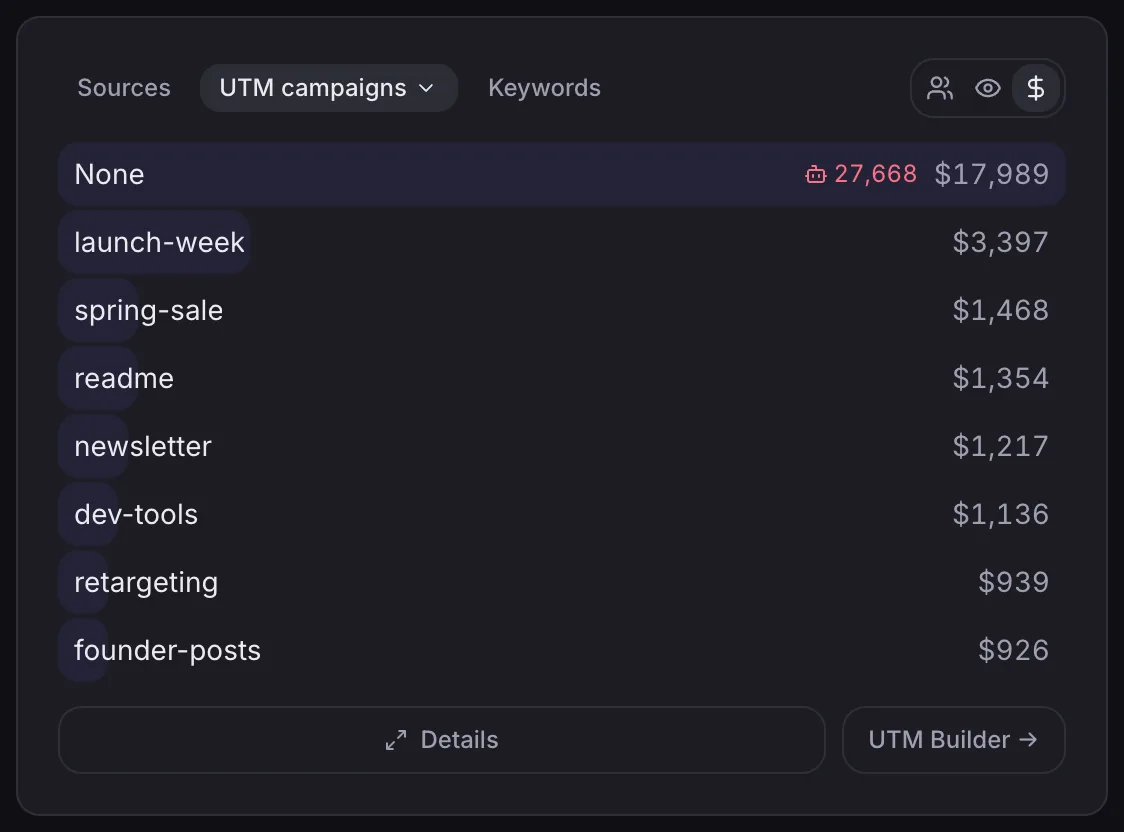
From click to sale
A tagged Instagram link lands as a source entry, and NoirTrack keeps that visit attached to the visitor journey while the person browses. If the same visitor buys later, the payment event matches back to that visit and the sale shows up with its source and campaign. That lets you compare posts directly and see the revenue attached to each one.
A simple example looks like this:
https://yoursite.com/?utm_source=instagram&utm_medium=social&utm_campaign=launch_post
If that link brings 40 visits and 3 paid orders, the dashboard can show the campaign with revenue next to the traffic, which is the number that tells you whether the post paid off. The same setup also lets you use tracking parameters to keep each post separate while still rolling results up under one source.
When revenue attribution can fail
Attribution fails when NoirTrack does not get enough matching data at the moment the sale is recorded. If the purchase arrives without the visitor data, the sale can land in direct or unknown. If your backend sends the same purchase event twice, the same order can appear twice. If the buyer moves to another device or returns later without the original tracking data, the match can break.
The fix is to keep the tracking data with the buyer through checkout and send the sale once. If you confirm payments on the server, pass the visitor id through the checkout flow or send the sale from the backend with the same visitor reference, then check the revenue report for anything that lands outside the expected source. That gives you a clean read on paid customers and makes it easy to spot posts that drive clicks but not sales.
Which dashboard views should you check first?
Start in the Sources panel, then filter to one Instagram campaign, one landing page, or one launch window, and read visits, goals, and revenue together. That is the fastest way to see which Instagram post paid off. If you tagged a link like utm_source=instagram&utm_medium=social&utm_campaign=july-carousel, the Sources panel groups that traffic under one campaign so you can compare it with every other post without guessing which clicks belong together. For a post whose job is a signup before a sale, open Goals first, then check which campaign turns those signups into revenue in the same window.
A simple workflow works well here:
- Open Sources. Scan the Instagram campaigns by revenue, not by visits alone.
- Add filters. Narrow the view to one campaign, one page, or the launch day and the next few days.
- Check the goal. If the post asks for a signup, read that goal rate before you judge sales.
- Compare revenue. Rank the filtered campaigns by money to see which post brought buyers.
A worked example makes the pattern clear. If one carousel drives 240 visits, 18 signups, and 3 sales worth $180, and another post drives 140 visits, 11 signups, and 5 sales worth $300, the second post did the better job even with fewer clicks. The clicks matter less than what the visitors did after they landed.
The three numbers that matter
Visits show reach through your site. Goals show whether the post created the action you wanted. Revenue shows whether that action turned into money.
Use all three together, because each one answers a different part of the same question. Visits tell you whether the post got attention. Goals tell you whether the landing page and offer held that attention. Revenue tells you whether the campaign earned back the effort.
A quick comparison table
| Post | Visits | Revenue | Read on it |
|---|---|---|---|
| Post A | Lots of clicks | Low revenue | People arrived, then left without buying |
| Post B | Fewer clicks | Higher revenue | The traffic was smaller, but it matched the offer |
| Post C | Moderate clicks | Highest revenue per visit | The post brought the best buyers |
Post C wins if you want money, even if Post A looks stronger in raw traffic. That is the view to keep checking when you want to track which Instagram posts bring paying customers.
How do you turn this into a repeatable Instagram workflow?
Set a simple post template and use it every time: one tagged link, one launch note, and one goal from /docs/goals. If you want to track which Instagram posts bring paying customers, keep the setup identical except for the UTM campaign and the post angle.
A numbered process for every post
- Pick one post idea and one conversion goal.
- Create one unique UTM link with a stable source and a new campaign name. See /docs/tracking-parameters.
- Publish the post and wait for visits and sales to land in /docs/revenue-attribution.
What to improve next
Test hooks, offers, and landing pages one at a time. Keep the measurement method fixed so each post is comparable. If a goal fires or revenue changes, use that signal to pick the next post, not your gut.
Questions, answered.
The best way to track Instagram posts that make sales is to give each post a unique UTM tagged link and connect your payment data so revenue can be tied back to the original visit. That setup shows which post brought the buyer, not just which post earned a click. A post with fewer clicks can still win if those clicks turn into paid orders.
Instagram revenue tracking takes very little recurring work once the setup is done. The day to day task is creating one tagged link per post and keeping the naming format the same so reports stay easy to read. The one time work is connecting analytics and revenue data, which lets you compare posts by sales instead of by traffic alone.
Instagram clicks measure traffic, while Instagram revenue measures purchases. Clicks show that someone tapped the link, but revenue shows that the visit turned into money. A post with 200 clicks and zero sales is weaker than a post with 20 clicks and one order if your goal is paid customers.
The most common mistake when tracking Instagram posts is reusing the same link for every post or skipping UTM tags. That makes the traffic hard to separate later, so a sale gets tied to Instagram in general instead of the exact post that drove it. Once that happens, you can see reach, but you lose the sales signal.
Yes, Instagram Stories and bio links can be tracked the same way with separate tagged URLs for each one. Give each story, bio change, or promo link its own URL so the results stay separate in your reports. That makes it easy to compare a Story swipe up, a bio link update, and a one off promo post side by side.
Try NoirTrack
See which traffic actually pays.
Analytics with revenue attribution and a built-in bot firewall. One script tag, live in two minutes.
Free 14-day trial, no credit card
Written by NoirTrack team
The privacy-first Google Analytics alternative with a built-in bot firewall and revenue attribution. See which traffic makes you money, no cookie banner.


